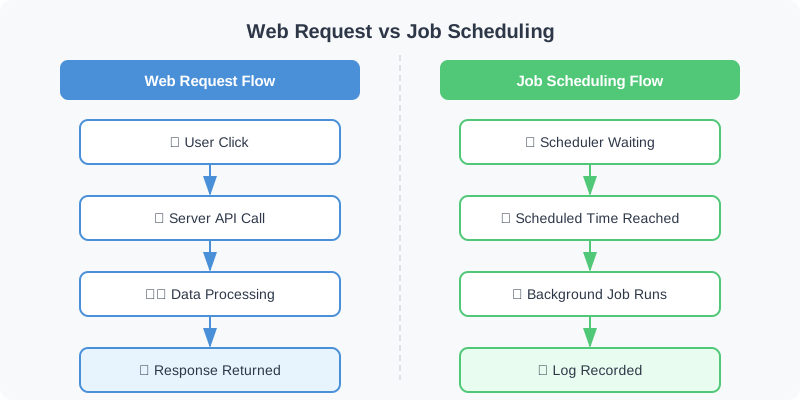
When running a web application, there are inevitably background tasks that need to be executed periodically, independent of user requests. Typical examples include aggregating database statistics every midnight, sending regular newsletters to users at specific times, or periodically synchronizing data from external APIs.
Handling these repetitive tasks manually is not only inefficient but also highly prone to human error. Therefore, building a reliable job scheduling system is an essential component of modern web development.
In this article, we will explore in detail how to efficiently implement job scheduling in a web environment, provide a guide to choosing the right tools for your scale, and demonstrate automation implementation strategies through practical code examples.
3 Approaches to Job Scheduling #
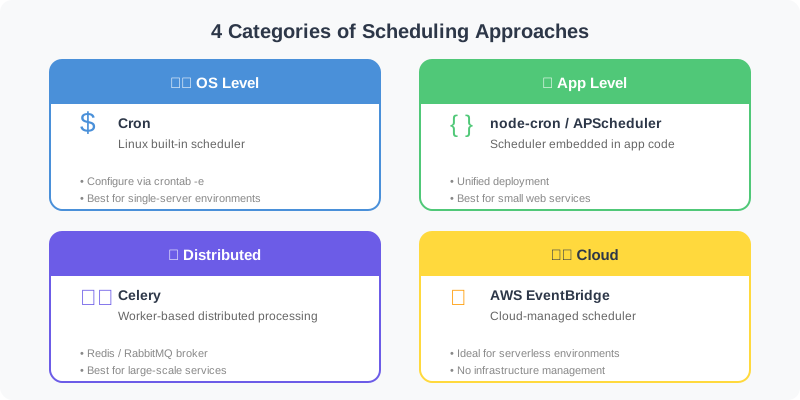
The methods for implementing job scheduling can be broadly categorized into three types, depending on the scale and requirements of your service. It is crucial to select the approach that best fits the current state of your project.
| Category | Characteristics | Typical Tools | Recommended For |
|---|---|---|---|
| OS-Level Scheduling | Utilizes the operating system’s built-in features to run scripts periodically. Very simple to set up. | Linux Cron, Windows Task Scheduler | Single-server environments, simple shell script execution |
| Application-Level | Embeds the scheduler directly within the web server code. Allows for unified deployment and management. | node-cron (Node.js), APScheduler (Python), Spring @Scheduled |
Small web services, single server instances |
| Distributed Task Queues | Uses separate message brokers and worker nodes to distribute tasks. Highly scalable and reliable. | Celery (Python), BullMQ (Node.js), Sidekiq (Ruby) | Large-scale services, heavy background tasks, multi-server environments |
Simple Scheduling with Node.js #
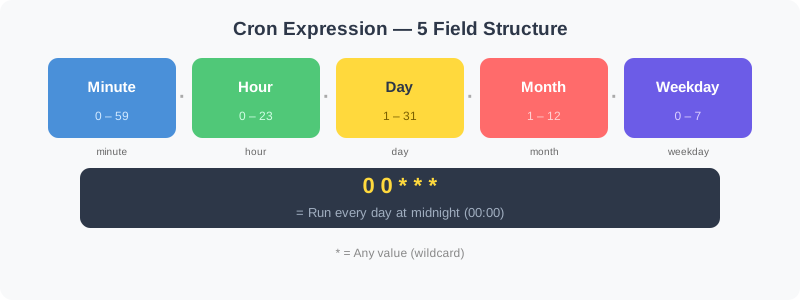
For small applications running on a single server, using an application-level scheduler is the fastest and most intuitive approach. In a Node.js environment, the node-cron library allows you to easily schedule tasks using standard Linux Cron expressions.
|
|
While this method is very simple to implement, it has a critical drawback in a scale-out environment with multiple server instances: the same scheduled task might be executed multiple times concurrently.
Distributed Task Processing with Python and Celery #
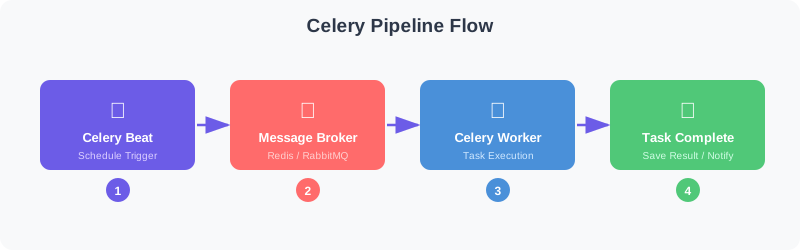
If your service grows to operate across multiple web servers, or if you need to process heavy, time-consuming tasks like bulk email sending, you should adopt a Distributed Task Queue architecture. In the Python ecosystem, the combination of Celery and Redis (or RabbitMQ) is the most widely used.
Distributed Task Queue Architecture Flowchart #
|
|
By using Celery, the web server can quickly respond to user requests while offloading heavy tasks to worker servers via the broker. Additionally, by utilizing celery beat, you can reliably manage periodic scheduling.
|
|
Considerations for Designing Scheduling Systems #
To build a robust automation system, you must consider the following three factors:
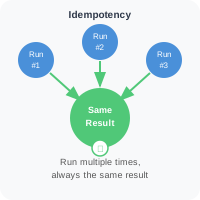
- Ensuring Idempotency: Logic must be designed so that even if the same scheduled task is executed twice due to network errors or server restarts, the system’s state or outcome remains unchanged. (e.g., checking a status flag in the DB before execution to see if it has already been processed).
Conclusion #
Job scheduling in web applications should evolve according to the scale of the service, starting from a simple node-cron to an advanced distributed system like Celery. Begin with an application-embedded scheduler for a single server, but consider introducing distributed processing using a message broker as traffic increases. Why not take a moment to check if the background tasks in your current service are running safely while guaranteeing idempotency?